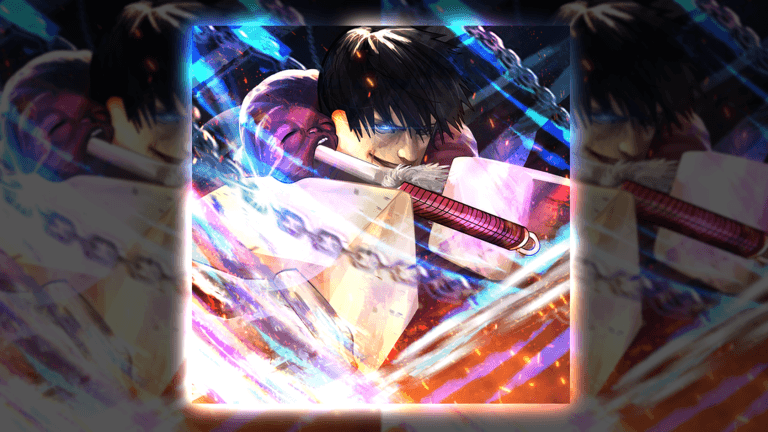
Jujutsu: Zero has two different Heavenly Restriction searches that players often mix together: the Physical path and the Sorcery path. Current independent walkthroughs present them as separate Binding routes, so first decide which build identity you actually want, then read every requirement and warning in the live Binding interface before you exchange anything. Do not copy an old material count, level gate, or removal cost from a clip without matching it to your current server.
The safest workflow is to record your current technique, equipment, resources, and visible stats; inspect both live Binding options; prepare only the materials the current panel names; confirm what the exchange says it will change; and test the resulting build in a repeatable activity. This guide covers the high-demand searches for Physical Heavenly Restriction, Sorcery Binding, Physical Binding, enabling or removing a restriction, and deciding between the two without pretending that one path is universally best.
Physical and Sorcery Heavenly Restriction at a Glance
Treat Physical and Sorcery as different build commitments, not two spellings for one item. Community walkthroughs published for Jujutsu: Zero demonstrate a Physical Binding route and a separate Sorcery Binding route, while longer progression videos show players building specifically around the physical fantasy. That agreement is enough to separate the intents, but it does not make an older recipe, stat value, or unlock condition permanent.
Physical-oriented searches usually come from players who want a weapon-led or close-range identity. Sorcery-oriented searches usually come from players who want to preserve and emphasize cursed-technique play. Those are planning labels, not a promise about exact bonuses. The live Binding description, character sheet, skill tree, and equipment screen are the authorities for what the current patch changes on your account.
Before choosing, write down what your current build already does well. Note your technique investment, mastery progress, weapon setup, gear, raid role, and the resources that would be difficult to replace. A restriction is a poor impulse purchase because its value depends on what it adds, what it changes, and what it may ask you to give up. Compare the whole package rather than choosing the path whose name sounds stronger.
 Official media
- Physical intent
- Weapon and close-range build planning
- Sorcery intent
- Cursed-technique build planning
- Requirement source
- Current Binding interface
- Before exchanging
- Record the current build
- After exchanging
- Run controlled tests
- Exact costs
- Verify live; do not assume
Choose the Path Before You Farm
Start with the activity you want the finished character to handle. For a physical plan, ask whether you enjoy maintaining melee range, learning weapon timing, and building around equipment progression. For a sorcery plan, ask whether your strongest investment is a cursed technique, its mastery route, a domain, or a passive that you do not want to compromise. The answer should come from playstyle and current account value rather than a letter grade copied from an undated tier list.
Next, separate a test account decision from a main-account decision. If the live interface warns that a resource, technique state, or other progression choice may change, do not confirm simply to see the animation. Capture the warning, check what a reversal requires, and decide whether the account can absorb that cost. A player with deep technique mastery has a different opportunity cost from a player who has already invested in a weapon and matching gear.
Finally, check whether the guide or clip you found belongs to the same game state. A useful source should show Jujutsu: Zero, name the correct Binding, and display an interface that still resembles the current client. If a label, NPC, recipe, or menu has changed, use the source only to understand the broad route and rebuild the checklist from the live game.
- Choose the target activity: progression, raids, bosses, farming, or PvP.
- List the technique, mastery, weapon, gear, and currency already invested.
- Read the live description for both available Binding paths.
- Identify anything the confirmation says will change or be consumed.
- Confirm how the current patch handles removal before committing.
- Farm only after the live requirement list is recorded.
Safe Physical Binding Route
Use the Physical Binding route only after the live interface confirms that it is the physical Heavenly Restriction option you intend to build around. Independent walkthroughs show that Jujutsu: Zero exposes a dedicated Physical Binding path, and a separate progression video follows a character built around the physical restriction fantasy. They support the existence and intent of the route, but they should not be used as a timeless recipe sheet.
Open the relevant Binding panel and copy its exact requirement names into a short checklist. Keep each material separate from similarly named fragments, shards, restrictions, or exchange items. This matters because Jujutsu: Zero has several resources whose names sound related but participate in different crafting and exchange routes. Match icon, name, quantity, and NPC or interface before you count an item toward the Physical Binding requirement.
When every live requirement is satisfied, take a final before-state record. Capture the character sheet, equipped weapon, technique or mastery state, gear slots, and any warning presented by the exchange. Confirm once, then reopen the same screens. The goal is to prove what changed on this account in this patch instead of importing an old creator's result. If the interface does not match the expected Physical Binding label, stop rather than selecting a nearby option.
- 01Open the current Binding route
Find the live Physical Binding or Physical Heavenly Restriction option and confirm that its description matches your intended build.
- 02Copy the requirement list
Record every visible item and condition exactly as shown; do not substitute a similarly named fragment or an older recipe.
- 03Verify the reversal path
Read the current removal or exchange information before spending so the decision is not based on an assumed free reset.
- 04Capture the before state
Record technique, mastery, equipment, visible stats, resources, and the full confirmation warning.
- 05Confirm once
Use the intended Physical option and wait for the interface to finish before changing server or equipment.
- 06Audit the result
Reopen the character, technique, weapon, and gear panels and compare them with the before-state record.
- 07Test a repeatable activity
Run the same encounter several times with the same equipment so the new setup can be judged without changing every variable.
Safe Sorcery Binding Route
The Sorcery route is separate from the Physical route. A current Jujutsu: Zero walkthrough is dedicated specifically to obtaining and using Sorcery Binding, which is why this page keeps the two paths distinct. Even so, the video title does not authorize a permanent list of bonuses, a fixed recipe, or a claim that Sorcery is automatically better for every cursed technique.
Build the Sorcery checklist from the live panel. Compare its wording with your current cursed technique, mastery tree, passive route, and domain progress. If the confirmation text affects any system you have already invested in, stop and determine whether that interaction is acceptable. A strong general technique is not proof that every technique benefits equally from the same Binding state.
After confirming, verify the result with the same method used for Physical Binding. Reopen the relevant menus, confirm that the intended state is active, and test one repeatable encounter without changing the rest of the loadout. Look for consistent changes in clear time, resource use, survival, and reliability. Do not turn one critical hit, one favorable boss pattern, or one failed run into a permanent ranking.
- 01Confirm the Sorcery label
Use the current option whose name and description clearly identify the Sorcery route.
- 02Check technique compatibility
Review the live technique, mastery, passive, and domain panels before deciding that the route fits your account.
- 03Record all requirements
Use current names and quantities only; older recordings remain route context, not a live recipe.
- 04Read the confirmation warning
Identify every stated consequence and confirm how the current game presents removal or replacement.
- 05Activate and reopen menus
Verify the intended Binding state after the interface completes and before changing any other variable.
- 06Benchmark the same encounter
Compare several full cycles with stable gear and technique choices to judge practical value.
How to Compare the Two Without a Fake Tier List
A useful comparison begins with separate scorecards. For Physical, track weapon consistency, time spent in effective range, defensive mistakes, clear time, and how often the setup completes the chosen activity. For Sorcery, track technique uptime, resource pressure, execution failures, clear time, and completion reliability. Use the same activity and enough complete runs to avoid judging one favorable attempt.
Do not compare a finished physical loadout against an unfinished sorcery loadout, or the reverse. Equalize the obvious variables first: equipment quality, player familiarity, current progression stage, and the encounter being tested. If the two builds require different roles, report that difference instead of forcing both into one damage-only score.
The result can be specific without becoming universal. You may conclude that Physical feels more reliable for your current weapon and target, while Sorcery is more comfortable for a particular technique or group role. That is more useful than declaring one permanent winner, because a patch can change a skill, weapon, encounter, or restriction while leaving the route names intact.
- Test unit
- One complete activity cycle
- Hold stable
- Gear, encounter, and route
- Measure
- Clear time and completion rate
- Also record
- Resource use and failures
- Avoid
- One-run conclusions
- Best answer
- Activity- and build-specific
Enable, Remove, or Change a Heavenly Restriction Safely
Players searching how to enable Physical Heavenly Restriction and how to turn it off are asking about two different risk points. Enabling begins with the current Binding option and its confirmation. Removal or replacement begins with whatever reversal route the current client actually shows. Never assume that a system described as a Binding is a free toggle, and never spend a rare item because an old clip made the return path look simple.
Before enabling, capture the exact option, requirements, and warning. Before removing, capture the active state and the exact name of the reversal item, NPC, or exchange shown in your version. Several similarly named Jujutsu: Zero materials can appear in related progression, so a word such as Inverted, Invertion, Fragment, or Shard is not enough by itself. Match the complete label and live recipe.
If the live interface does not expose a clear removal path, pause and verify through the developer-maintained Trello, official Discord, or current in-game evidence before acting. Do not follow a search snippet that omits the patch and does not show the final confirmation. The cost of waiting is lower than the cost of applying the wrong conversion to a developed character.
Resource and Name Confusion Checklist
Most costly mistakes in this cluster begin with a partial name match. A Heavenly Fragment is not automatically the same thing as a Heavenly Restriction. An Inverted Fragment is not the same item as Invertion, and neither label should be collapsed into an Inversion Null Shard. Physical Binding and Sorcery Binding are separate choices. Read the full name, icon, description, and current use before farming or exchanging anything.
Keep separate inventory lines for each requirement. Record the source activity, the screen where the item appears, and the live recipe that recognizes it. If a creator uses an abbreviated name, translate it back to the exact in-game label before taking action. This is especially important for multilingual searches, autocorrected queries, and videos recorded before a progression update.
When two public sources disagree on a quantity, rate, or recipe, do not average the numbers. Treat the disagreement as evidence that the game changed or the sources captured different routes. The current interface resolves the conflict for your account. This wiki therefore avoids fixed material counts, probabilities, level gates, and removal prices on this page unless a current, reproducible evidence set supports them.
- Match the full item name, not one shared word.
- Match the icon and the interface that consumes the item.
- Keep Physical and Sorcery requirements in separate checklists.
- Do not combine Inverted Fragment, Invertion, and Inversion Null Shard.
- Treat conflicting public numbers as a patch warning.
- Use the live recipe as the final account-level authority.
Troubleshooting a Missing or Incorrect Binding
If the intended option is missing, first confirm that you are in Jujutsu: Zero and opened the correct current interface. Check the full route name, any live prerequisites, and whether the server is on the expected version. Do not solve a missing Physical option by selecting Sorcery, or a missing Sorcery option by choosing a similarly named exchange.
If the interface says a requirement is missing, compare each displayed line with the current inventory. Look for exact-name mismatches, items stored in a different panel, an incomplete prerequisite, or a quest state that has not advanced. Rejoin only after recording the current state; changing servers before capturing it makes the failure harder to diagnose.
If the exchange completed but the build seems unchanged, reopen the character, technique, equipment, and Binding screens. Verify the active state before testing damage or movement. If the wrong path was selected, do not immediately attempt a second exchange. Confirm the current reversal route and preserve every warning or item requirement so one mistake does not become two.
If a guide number disagrees with the live game, follow the game. Record the patch, server time, exact label, and visible requirement, then report the discrepancy through a verified community channel. A dated correction is more valuable than forcing an obsolete route until it works.
Heavenly Restriction FAQ
Are Physical and Sorcery Heavenly Restriction the same? No. Current Jujutsu: Zero walkthroughs treat Physical Binding and Sorcery Binding as separate routes. Choose and verify them independently.
Which Heavenly Restriction is best? There is no verified universal answer. Compare the path against your technique, weapon, gear, preferred activity, and the current live descriptions. A path can be better for one account or activity without being permanently best.
How do I enable Physical Heavenly Restriction? Open the current Physical Binding route, copy its live requirements, understand the confirmation and reversal path, record your current build, and confirm only when the displayed option matches your plan.
How do I get Sorcery Binding? Use the dedicated Sorcery route shown by the current client and follow its current requirement panel. Do not reuse a Physical recipe or an older fixed quantity.
Can I turn Physical Heavenly Restriction off? Treat removal as a separate live recipe. Verify the current NPC, exchange, item, and warning before acting; do not assume it is a free toggle or reuse an old reversal cost.
Does Inverted Fragment mean Invertion? No. Those are different labels in related progression. Match the exact item required by the current route instead of substituting a similarly named material.
Why does this guide not list exact costs or bonuses? Public routes span different patches and can conflict. The current Binding and character interfaces are safer than publishing a number that may already be obsolete.
How should I test the result? Keep gear and encounter stable, run several complete cycles, and record clear time, completion rate, resource use, and failures. Compare practical consistency rather than one high roll.