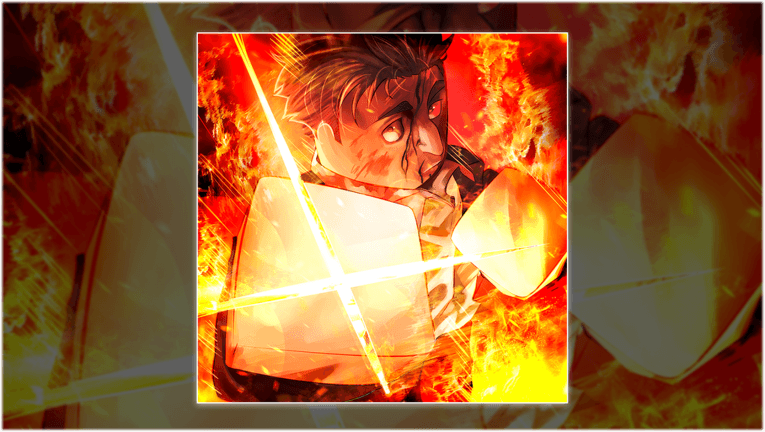
The previous official Jujutsu: Zero listing checked on August 13 was titled [SUKUNA] and named six concrete changes: the Sukuna's Mark passive, Shrine synergy and World Ending Slash, an open variant of the Shrine domain, hidden reward NPCs across the overworld, Ten Shadows fixes, and menu or quality-of-life work. The live headline has since moved to the CT Buffs balance-and-fixes update, so this page preserves the earlier patch as a dated archive.
To investigate Sukuna's Mark, first read the Passive Ability Exchange recipe in your current client. Independent walkthroughs from the Sukuna build agreed on three component sources: Infinite Raid reward crates, the Cursed Remnant miniboss, and the then-final-difficulty King of Curses encounter. Bring only the components required by today's Exchange panel back to that NPC. Exact quantities, rates, activity labels, and continued availability remain intentionally open because the archived official update did not publish them and a later patch may have changed them.
Sukuna Update at a Glance
Studio Resonance's public game data captured for the August 13 review called the patch Sukuna's and described Sukuna's Mark as a new passive with Shrine synergy plus World Ending Slash. It separately listed a new open variant of the Shrine domain. Those archived phrases confirm the features and their intended relationship to Shrine in that build, but they do not publish activation requirements, damage, cooldowns, duration, range, or a complete unlock path.
The same official note says hidden NPCs now appear across the overworld for rewards, Ten Shadows received fixes, and the main menu, stats menu, and Technique Banner interface were updated. These changes matter even if you do not use Shrine: navigation, build review, exploration, and Ten Shadows behavior may all differ from an older guide or recording.
 Official media
- Archived title
- [SUKUNA] Jujutsu: Zero
- New passive
- Sukuna's Mark
- Named finisher
- World Ending Slash
- Domain change
- Open Shrine variant
- Exploration
- Hidden reward NPCs
- Other work
- Ten Shadows + UI fixes
Your First 15 Minutes After Joining
Begin by checking the experience title and update text on the official Roblox page. The live title now reflects the CT Buffs update, so do not require a current server to match the archived Sukuna label. Open the stats and Technique Banner screens without spending, note any changed labels, then review your equipped technique and passive slots. This prevents an outdated button path from turning into a costly reroll or reset.
Next, use a familiar low-risk encounter as a baseline. Perform the Shrine actions you already understand, then inspect the passive interface for any Sukuna's Mark wording or state change. Change only one condition at a time. A controlled comparison will tell you more than entering a difficult raid with several new systems active and guessing which one caused the result.
- 01Confirm the current patch
Compare today's official title with this archived [SUKUNA] record before relying on any older route.
- 02Audit the changed menus
Review the main menu, stats screen, and Technique Banner before spending resources.
- 03Save a combat baseline
Use one familiar target and record how your Shrine loop behaves before testing the passive.
- 04Test one change
Watch for a visible Sukuna's Mark state, then test the same sequence under one changed condition.
- 05Explore for NPCs
Sweep the overworld methodically and record only NPCs whose dialogue or reward is visible in your client.
How to Test Sukuna's Mark Without Guessing
The official phrase 'Shrine synergy + World Ending Slash' tells you where to begin, not the full rotation. Equip the relevant build only through the current interface, enter a repeatable encounter, and watch for a new passive icon, meter, prompt, animation, or skill-state change. Capture the state immediately before and after it appears. If no state is visible, do not infer a hidden stack from damage alone because gear, enemy state, latency, or another effect may be responsible.
Once the trigger is visible, test whether World Ending Slash becomes available, changes presentation, or remains locked. Repeat the same sequence at least twice before treating it as a working route. Do not publish a guaranteed combo until the prerequisites and failure cases are clear. A useful early guide should tell players what cue to look for and what to check next, not invent a universal one-shot claim from a highlight clip.
- Keep the target, build, and sequence stable between attempts.
- Record the passive cue before recording damage.
- Separate an unlock condition from an execution condition.
- Retest after changing servers or receiving a hotfix.
Open Shrine: What Is Confirmed
An open variant of the Shrine domain was explicitly part of the archived Sukuna patch. That official note did not say whether it was a separate unlock, a selectable variant, a passive transformation, or a state created by Sukuna's Mark. It also did not establish barrier behavior, radius, duration, cost, or which attacks occur inside it. Treat all of those details as live questions in the current client.
When you can access the domain in your client, capture the menu description first. Then test activation in an uncluttered area and note the visible startup cue, the area affected, what ends the state, and what happens when activation fails. Only after those facts are reproducible should you build a PvE or PvP recommendation around the open variant. The dedicated domain guide explains the same evidence-first test pattern for other domains.
How to Get Sukuna's Mark: Current Route
Open the Passive Ability Exchange before starting the farm and capture the current Sukuna's Mark recipe. Three independent walkthroughs of the Sukuna beta build agreed on the activity chain: an Infinite Raid reward-crate component, a component from Cursed Remnant, and a component from the then-final-difficulty King of Curses encounter. Follow that chain only where today's panel and activity UI still confirm it; once the panel shows every required component, return to the Exchange and craft the passive there.
Treat the live recipe as the authority for item names and quantities. The official Roblox update confirms Sukuna's Mark, Shrine synergy, and World Ending Slash, but it does not publish material counts, drop rates, crate guarantees, respawn timing, or a permanent difficulty name. The public developer-maintained Trello is now explicitly titled Outdated. Do not farm from an old card or assume that one video's inventory count is the recipe for every later hotfix.
- 01Read the live Exchange recipe
Find the Passive Ability Exchange, select Sukuna's Mark, and record every component your current server requests before farming.
- 02Run Infinite Raid
Collect the relevant component through the current Infinite Raid reward-crate path; do not assume a guaranteed crate result or fixed run count.
- 03Defeat Cursed Remnant
Use the live miniboss route and verify the component in the reward or inventory result rather than relying on a remembered drop rate.
- 04Read the live King of Curses requirement
Follow the difficulty and component source shown by the current encounter or Exchange UI; the Sukuna-build walkthroughs used the then-final difficulty, but the label or requirement may change after a balance update.
- 05Craft at Passive Ability Exchange
Return with all components shown by the current recipe and use the Exchange to create Sukuna's Mark.
Finding the New Hidden Reward NPCs
The official update confirms that hidden NPCs are spread across the overworld and provide rewards. It does not publish their coordinates, number, dialogue, prerequisites, or reward pool. Until a complete live map is captured, the fastest honest approach is a structured sweep rather than copying an undated coordinate list.
Divide the overworld into recognizable zones and finish one zone before moving to the next. Check building edges, raised paths, dead ends, landmarks, and spaces behind large props. When an NPC appears, record the nearest permanent landmark, the dialogue, any requirement, and the reward screen or inventory change. A character merely standing off the main path is not enough evidence that it belongs to this system.
If an NPC is missing, verify the current server version and any visible prerequisite before server hopping. Hotfixes, quest state, or a claimed reward can change what appears. This page will add a player-facing map only when every pin is tied to a current screenshot and a reproducible route.
- Sweep one named zone at a time.
- Use permanent landmarks, not temporary players or enemies.
- Capture dialogue and the actual reward result.
- Recheck a missing NPC before declaring it removed.
Ten Shadows, Interface, and QOL Changes
The update note says Ten Shadows received fixes but does not enumerate them. That means an older summon, altar, mastery, or Mahoraga demonstration may no longer reproduce exactly. Test the specific behavior you rely on instead of assuming that 'fixes' means a buff, nerf, or one named mechanic. The Ten Shadows progression guide remains the best route for the stable unlock loop; volatile combat behavior needs a new patch check.
The menu changes deserve the same care. A renamed button or moved panel can invalidate an otherwise correct guide even when the underlying economy is unchanged. Screenshots and steps on this site are therefore tied to a review date. If your client differs, trust the current interface and report the exact screen rather than forcing the older path.
Codes Recorded During the Sukuna Patch
The official description captured on August 13 listed SukunaMark for 500 Cursed Crystals, 3.5k Lumens, and 50 Clan Rolls. It also listed 200KLIKES for 5k Lumens, 500 Crystals, and 50 Clan Rolls. SukunaMark is no longer in the latest official listing; it has been replaced there by CTBUFFS. Use the current codes page rather than planning a reroll session around this archived entry.
The archived description also advertised double clans and a 30% luck bonus on weekends, and the latest official listing continues that weekend note. It still does not publish reroll odds or prove how every system uses luck. Keep reward availability, weekend timing, and banner probability as separate facts.
- Historical: SukunaMark — 500 Cursed Crystals, 3.5k Lumens, 50 Clan Rolls
- Historical snapshot: 200KLIKES — 5k Lumens, 500 Crystals, 50 Clan Rolls
- Archived from the official Roblox listing checked on 2026-08-13